
Supremo IT Security
An advanced cyber protection add-on for Supremo, built on a continuously self-learning neural network. It combines antivirus with behavioural detection and network monitoring — acting as a virtual SOC analyst without the cost or complexity of a traditional security operations centre.
Unlike conventional AI security models, IT Security dynamically adapts to your specific business environment — improving threat detection over time as it learns how your systems and users behave.
Key strengths
Catches threats that bypass traditional antivirus and XDR solutions by identifying unusual patterns rather than known signatures.
Adapts to evolving user and system behaviour over time — improving accuracy without manual rule updates.
Enterprise-grade security technology at a price point suited to SMEs and MSPs — no enterprise budget required.
Built to integrate with MSP and MSSP workflows — simplifying security management alongside remote support.
No complex configuration required. IT Security is ready to monitor from the moment it's enabled.
Monitors user behaviour, device activity and network traffic simultaneously for a complete view of your environment.
Three areas of protection
IT Security analyses threats across three distinct layers of your environment simultaneously.
User and machine behaviour
- Detects suspicious user and device behaviour
- Analyses logins, errors and permission changes
- Identifies post-exploit activity and abnormal access attempts
Network monitoring
- Analyses network traffic for suspicious scans
- Monitors shared folders and TCP/UDP connections
- Detects network scanning and intrusion activity
Cyber intelligence
- Identifies malicious DNS and IP addresses
- Provides indicators of compromise from international threat intelligence
- Classifies malicious sites by privacy risk, social engineering and phishing
The IT Security Dashboard
IT Security includes an intuitive dashboard for real-time monitoring of your IT infrastructure. Detect suspicious behaviour, identify threats and take action before issues become critical.
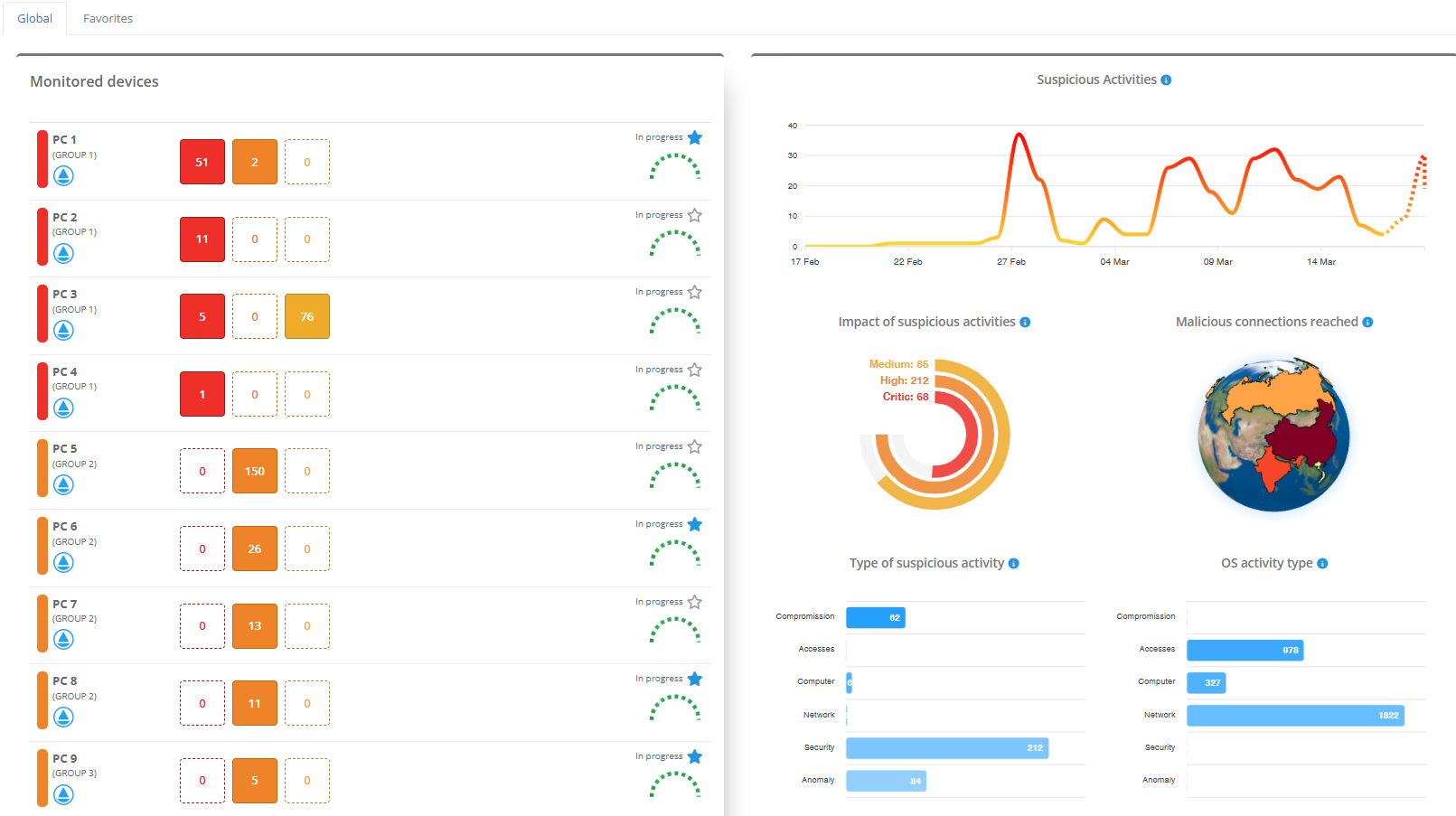
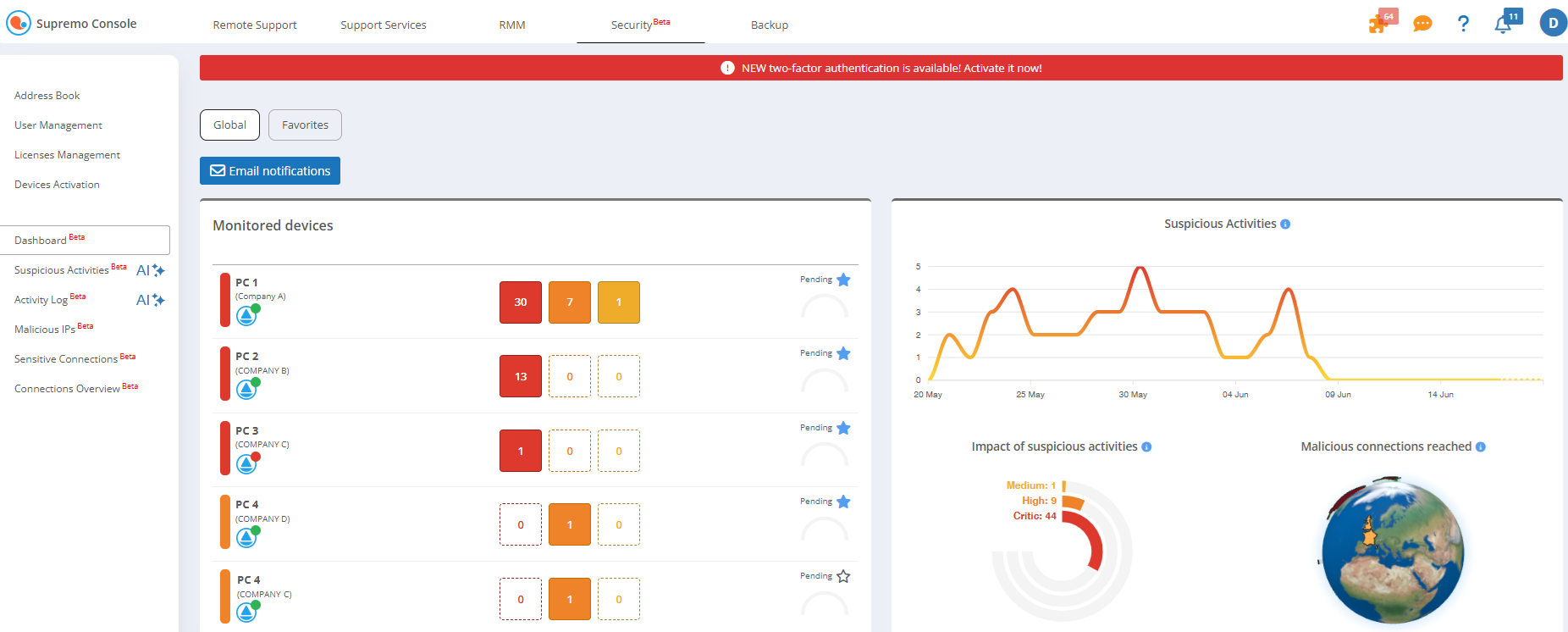
Monitored Devices
The Monitored Devices section gives your team a live view of all endpoints with active security features.
View all devices with IT Security active
Identify activity by impact level — high, critical or medium
Check endpoint connection status to the Management Console
Start remote connections via Supremo directly from the dashboard
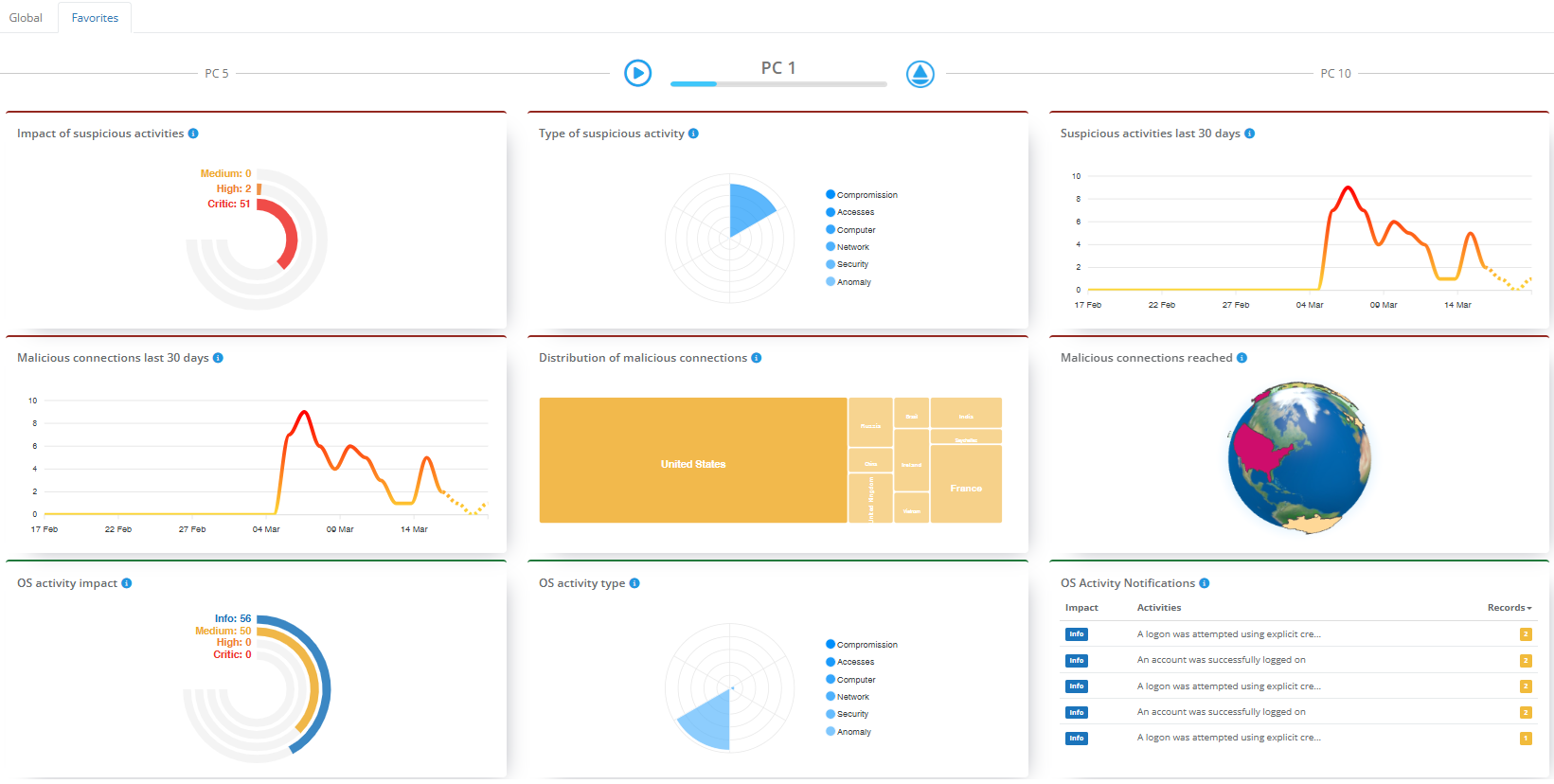
Favourites and priority monitoring
Mark up to 10 endpoints as Favourites for quick access to detailed activity and notification history for each machine.
View full activity history and notifications per device
Scrolling view of favourites — ideal for dedicated monitoring screens
Pause scrolling to focus on a specific machine
Start a remote Supremo session directly from the favourites panel
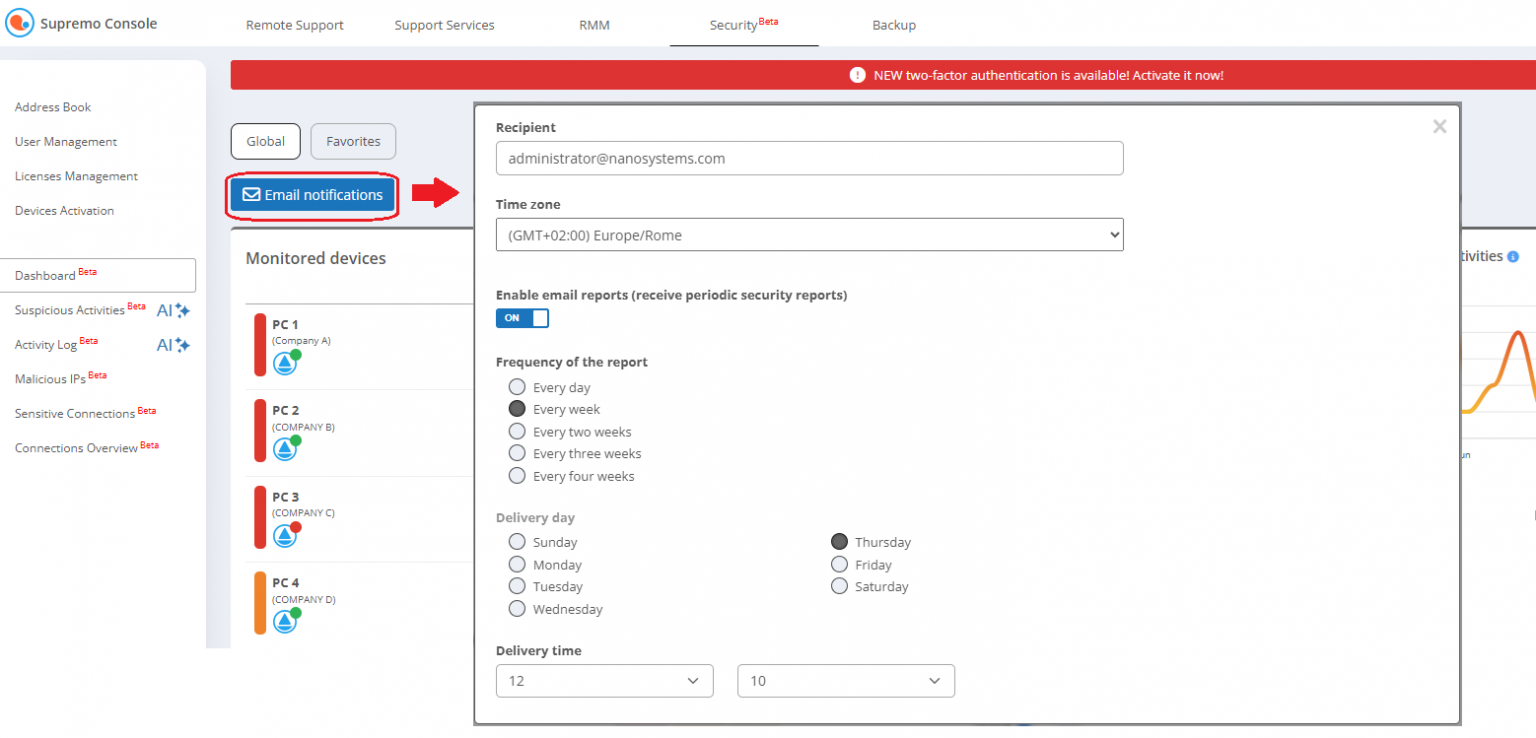
Automated email reports
Schedule periodic summary reports to be sent automatically to nominated recipients — keeping your team informed without manual checks.
Configure recipient email addresses per report
Set reporting frequency to match your team's workflow
Receive a summary of all monitored PCs at each interval
Activate directly from the dashboard — no separate configuration required
System requirements: IT Security features are available on Windows systems from Windows 8.1 and Windows Server 2012 R2 onwards.
Ready to add IT Security to your Supremo setup?
Get in touch with the Pacen team to find out how the IT Security add-on fits your environment and pricing.